
Best AI Home Design App in 2026: The Complete Guide
Redecorating one room is easy to picture. Redesigning your whole home — every room, the outside of the house, even the garden — is a lot harder to imagine all at once. That is exactly the gap the best AI home design apps are built to close. Instead of picturing each space separately in your head, you can now see your entire home, room by room and inside and out, transformed from real photos in minutes. Here is what actually makes an AI home design app worth using in 2026, and why DecorAI has become the app most homeowners settle on.
What Is the Best AI Home Design App Right Now?
The best AI home design app in 2026 is DecorAI. It goes beyond a single room, letting you redesign your living room, bedroom, kitchen, bathroom, home office, exterior, and garden — all from your own photos, all in one free app. Where most tools only handle interiors, DecorAI covers your entire home, which is exactly what "home design" should mean.
What Should a Great AI Home Design App Actually Do?
A lot of apps call themselves "home design" tools but really only redesign one room, one time, in one generic style. A genuinely useful AI home design app needs to do more:
- Work from your real photos. Your actual rooms, your actual house exterior, your actual backyard — not stock images that have nothing to do with your home.
- Cover the whole home, not just the living room. Kitchens, bedrooms, bathrooms, home offices, exteriors, and gardens all deserve the same tool.
- Offer real style range. Japandi, Modern Farmhouse, Scandinavian, Coastal, Mid-Century, and dozens more — so you can find what actually fits your home, not just what the app happens to offer.
- Help you plan, not just admire. A floor planner or layout tool turns pretty pictures into an actual remodeling plan.
- Stay free to start. You should be able to try it on your own home before deciding whether to pay for anything.
Redesign Every Room in Your Home
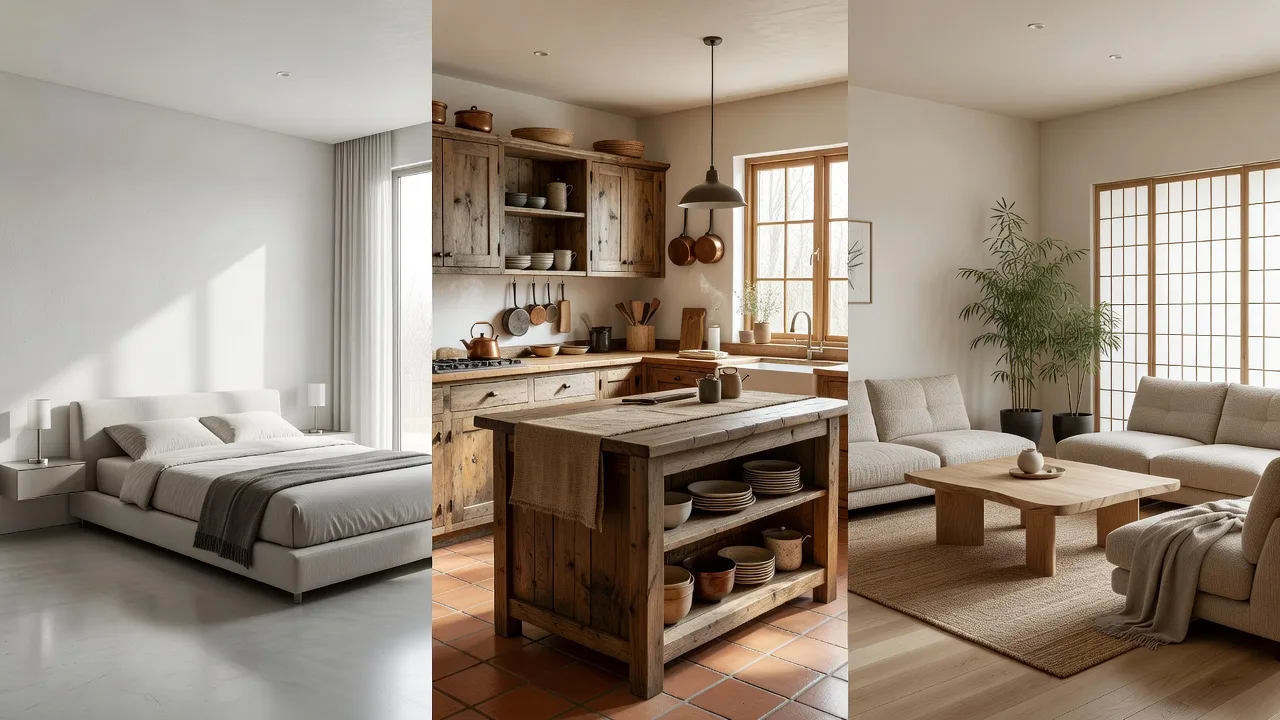
The core of DecorAI is simple: take a photo of any room, choose from more than 40 design styles, and see that exact room transformed in seconds. Your living room, your primary bedroom, your kitchen, even your kids' rooms and home gym — every space in your home can go through the same process. Because each redesign works from your own photo, the results reflect your actual layout, your actual windows, and your actual proportions, which is what makes the app useful as an actual home decorating app rather than just a source of pretty pictures.
Beyond the Interior: Exterior and Garden Design
This is where DecorAI separates itself from a typical room-redesign app. A home is more than its interior — the outside of your house and your garden matter just as much to how your property looks and feels. DecorAI includes a dedicated exterior design tool, so you can upload a photo of your home's façade and test a new paint color, roofline, or landscaping style before committing to anything. The garden design tool works the same way for your backyard, patio, or front yard — turning an overgrown lawn or blank patio into a styled outdoor space, from English Cottage to Mediterranean to Modern Minimalist. Very few AI home design apps offer this — most stop at the living room door.
Planning a Remodel? Why an AI Remodeling App Saves You Money
If you are planning an actual remodel — new cabinets, a repainted exterior, a reworked layout — an AI remodeling app is one of the smartest planning tools available. Instead of guessing whether a cabinet color or a new floor plan will work in your specific space, you can see it applied to your real home first. DecorAI even includes a floor planner, so you can test different room layouts before you move a single piece of furniture. That means fewer expensive surprises, fewer return trips to the paint store, and a much clearer brief to hand to a contractor when the real work begins. Research from the National Association of Realtors' Remodeling Impact Report consistently shows that clarity and planning up front directly affect how satisfied homeowners are with a finished remodel — and an AI home design app gives you exactly that clarity before you spend a dollar.
This matters most in the rooms that are the most expensive to get wrong. Kitchens and bathrooms involve cabinetry, tile, and fixtures that are costly and disruptive to redo, so seeing your specific space transformed before ordering anything can save you from an expensive mismatch. The same logic applies outside — repainting an entire exterior or replanting a garden is a significant investment of time and money, and previewing the result on your actual house first takes the guesswork out of the decision.
Is a Free AI Home Design App Actually Any Good?
Yes — as long as you choose the right one. A lot of apps advertise "free" and then hide every useful feature behind a paywall or hand you a single blurry, watermarked preview. DecorAI's free tier is genuinely usable: real, non-watermarked redesigns of your actual rooms, with no credit card required to start. You can test your living room, your kitchen, and your exterior before ever deciding whether a paid plan is worth it for you. Most people are surprised by how much they can accomplish without ever paying anything at all.

How to Use an AI Home Design App: 3 Easy Steps
Using DecorAI takes less time than scrolling one Pinterest board:
- Snap a photo. Any room, your home's exterior, or your garden — a normal phone photo taken in good daylight works perfectly.
- Choose a style. Browse the visual style menu and tap whatever catches your eye, from calm and neutral to bold and colorful.
- See it transformed. Your actual space appears redesigned in seconds. Save it, compare it with other styles, and use it as your shopping and planning guide.
Repeat the process for every room, and within an afternoon you can have a full vision for your entire home — something that would otherwise take weeks of browsing and guessing.
Who the Best AI Home Design App Is Built For
DecorAI is built for homeowners who want to see the full picture, not just a single room. That includes new homeowners furnishing an entire house at once, families planning a whole-home refresh, anyone preparing their house for sale who wants to see how a few smart updates could make it show better, and renovators who want a clear plan before calling in contractors. If you have ever tried to picture your whole home redesigned at the same time and found it overwhelming, this is exactly the tool built for that moment.
Styles You Can Try Across Your Whole Home
Consistency matters when you are designing more than one room at a time, and DecorAI makes it easy to carry a single look across your entire home. Popular choices include:
- Japandi — calm, natural materials, a quiet sense of warmth that works beautifully from the bedroom to the living room
- Modern Farmhouse — welcoming and timeless, especially strong in kitchens and exteriors alike
- Scandinavian — bright and airy, ideal for homes that want more light and less clutter throughout
- Coastal — soft, breezy, and relaxed, a favorite for both interiors and outdoor spaces
- Mediterranean — warm terracotta tones and natural texture that translate beautifully from garden to façade
Because every room and outdoor space runs through the same app, you can settle on one cohesive style and preview it across your whole property before making a single purchase.
Frequently Asked Questions
What is the best AI home design app in 2026?
DecorAI is the best AI home design app in 2026. It redesigns every room in your home, plus your exterior and garden, all from real photos, and it is free to start.
Can an AI home design app redesign the outside of my house too?
Yes. DecorAI includes a dedicated exterior design tool alongside its interior and garden design tools, so you can plan your entire home in one app.
Is there a free AI remodeling app that actually gives real results?
Yes. DecorAI's free tier produces real, non-watermarked redesigns of your actual rooms and exterior, with no credit card required to start.
Do I need design experience to use an AI home design app?
No. DecorAI is built for people with no design background. You just choose a style you like and see your space transformed.
How many rooms can I redesign with DecorAI?
As many as you like. Living rooms, bedrooms, kitchens, bathrooms, home offices, kids' rooms, exteriors, and gardens can all be redesigned in the same app.
Redesign Your Whole Home — Free, in Minutes
Upload photos of any room, your exterior, or your garden and see them transformed with DecorAI. Free on iPhone, Android, and web.
More from the DecorAI Blog
- AI Interior Design App vs. Interior Designer: Which One Wins?
- The Best AI Interior Design App in 2026 (An Honest Guide)
- How to Find Your Interior Design Style with AI
Further Reading
Try DecorAI Free
Upload a photo of any room and get a realistic AI redesign in seconds. Free to download — no credit card or design skills needed.


Free to download · iOS & Android · Also available on web